A bad morning doesn’t have to become a bad day.
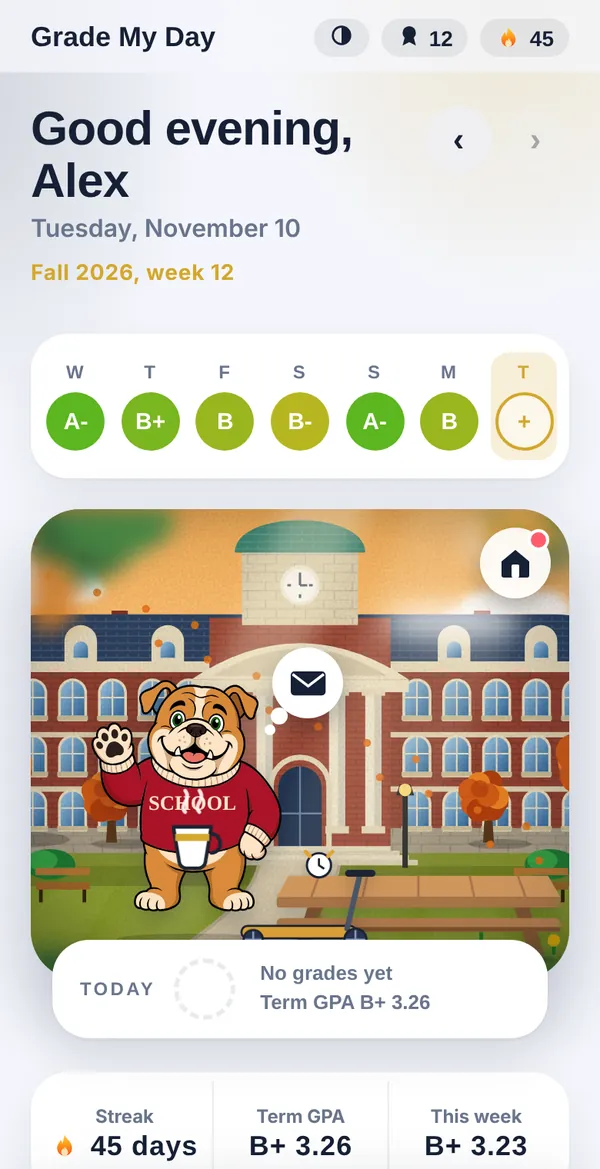
Grade each part of your day, add a quick note, and see how your mascot’s day is going too. A one-minute check-in that turns reflection into a habit you’ll actually keep.
No account. No download. Add it to your home screen in two taps.

- No account needed
- Entries stay on your device
- Free during the beta
- Made for college students and recent grads
Check in in about a minute
No setup marathon. Pick the parts of your day, grade them honestly, and you’re done.
1. Split your day
Morning, class, work, lunch, evening. You choose the parts that matter to you.
2. Grade each part
Slide from F to A+ with a satisfying buzz, then jot a quick note about why.
3. Visit your mascot
Your mascot has a day of its own, sends postcards, and cheers you on without keeping score.
Reflection that’s actually fun
Small, daily, and honest. Here’s what you get.
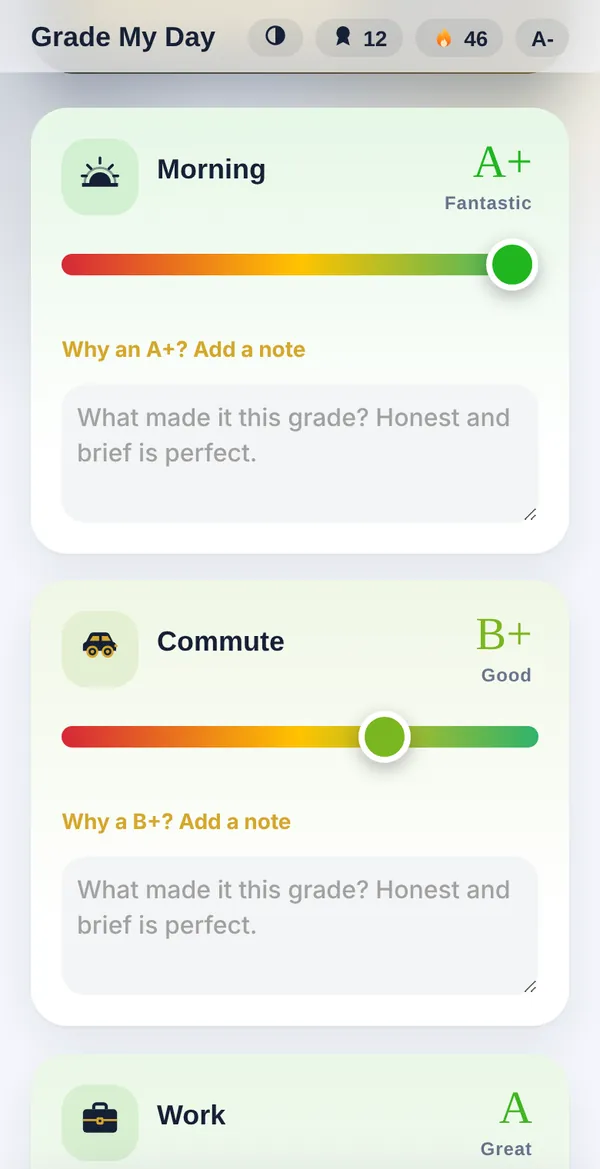
Grades that feel good to give
A slider, a color, a letter. Grading a part of your day takes seconds, and your day is more than one number. Rough morning, great afternoon? Both go on the record.
- A quick note for each part, plus a daily journal
- A GPA and streaks that celebrate showing up
- Sick days and vacations never break your streak
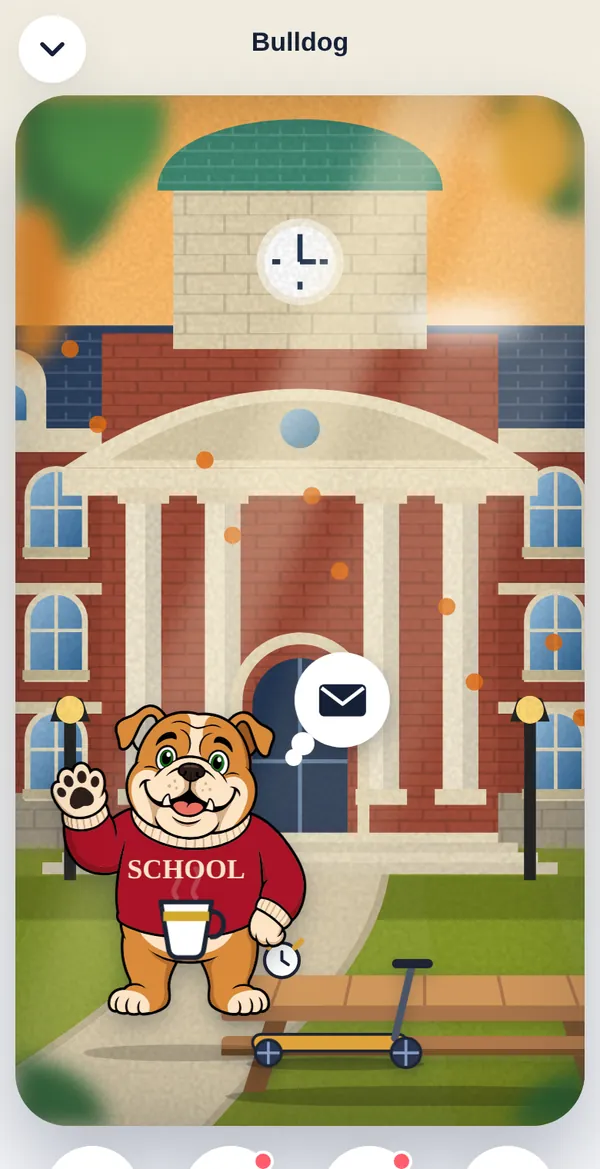
A mascot with a life of its own
It sips coffee, naps, goes out for a skate, and has bad days that have nothing to do with yours. Tap to play, hold to pet, and visit for postcards and gifts.
- Four mascots to start, more on the way
- A scene that changes with the time of day
- Gifts, postcards, and little surprises
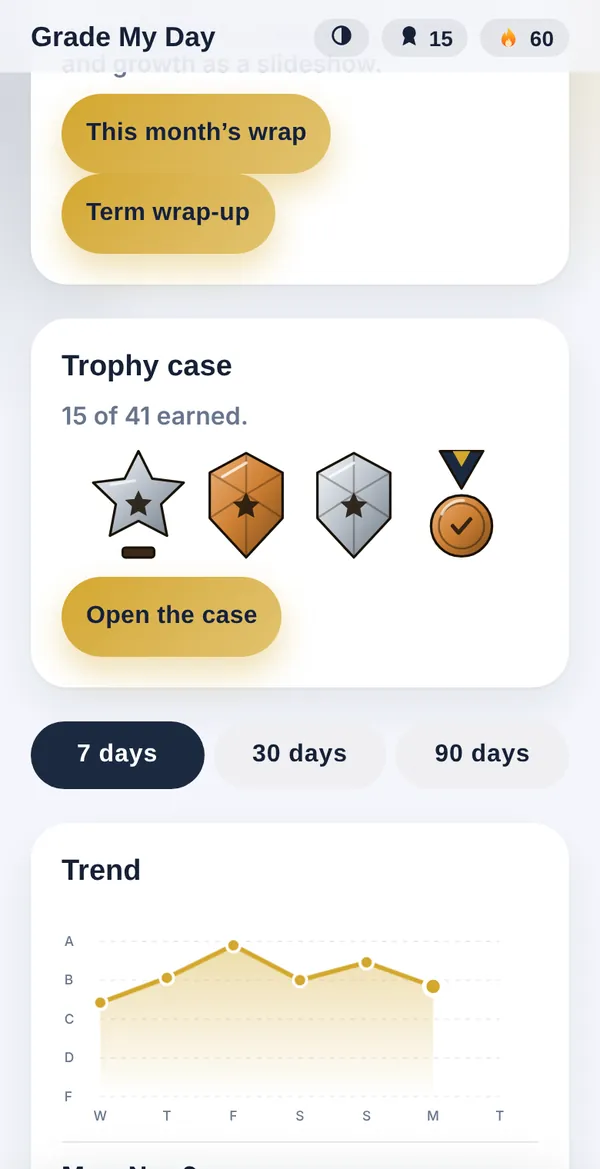
See your patterns, not just your score
Trends, a calendar, and a report card show which parts of your day lift you up and which drag you down. Share a summary with someone only if you want to.
- Trend chart and month calendar
- Look back one week, month, or year ago
- Term wrap-ups you can flip through like a story
Pick a mascot with personality
Put your school’s name on its sweater, give it a name, and let it be itself.
Bulldog
Dramatic and loyal

Mouse
Musical and mischievous

Ram
Cool, calm, and sleepy

Tiger
Runs on coffee
More mascots and animations are on the way.
There’s no leaderboard and no way to lose.
Your mascot rewards you for showing up honestly, never for the grade you give yourself. A bad morning is just a bad morning.
Private by design
Reflection works best when you can be honest. Here’s how we keep it that way.
Stays on your device
In this beta, your entries are saved on your own phone or computer. You can export a backup anytime.
No account, no ads
Open it and start. There’s nothing to sign up for and nobody to sell your data to.
Not therapy
Grade My Day is a self-reflection tool, not medical or mental health care. If you’re struggling, talk to someone you trust.